

Security Camera Installation Checklist for Pensacola Homeowners
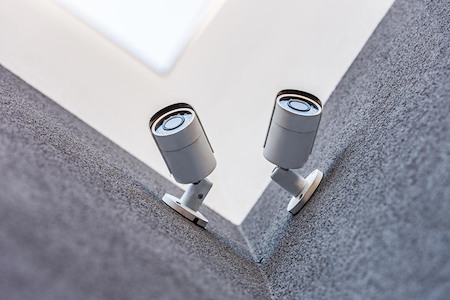
If you live in Pensacola, you want clear video, reliable uptime, and simple control from your phone. This checklist shows how to plan a strong system without the guesswork, then partner with a pro for setup and support. If you are ready to protect your home, review the points below and consider our professional security camera installation to bring it all together.
Why a Pensacola-Focused Checklist Matters
Homes from East Hill and North Hill to Cordova Park, Scenic Heights, Ferry Pass, and Perdido Key face coastal sun, salt air, heavy rain, and sudden wind. Those conditions influence camera placement, weather ratings, and network choices. A plan that works inland may fail on a breezy day near the bay, so think local as you plan coverage.
Pre-Project Decisions to Make With Your Installer
Before anyone drills a hole, align on the goals and ground rules. Use this quick list to set priorities and avoid rework later.
- Coverage priorities: front walk and porch, driveway and street view, backyard or pool gate, side yard or service gate, and any alley or dock areas.
- Video quality needs: identification at the door, plate reads near the curb, or wide overviews for kids and pets.
- Power and network preferences: PoE to each camera, or a mix of wired and wireless where cabling is tough.
- Recording approach: local NVR/DVR, cloud, or hybrid with set retention goals.
- Notifications: who gets alerts, for what events, and at what times of day.
If you want a broader system beyond cameras, review your options on our complete security system options page so video, sensors, and monitoring work together from day one.
Choose Cameras Built for Gulf Coast Conditions
Humidity, salt, and sun are tough on gear. Work with your installer to select housings and seals that stand up to Pensacola weather, plus features that fit your site.
Choose weather-rated cameras designed for Gulf Coast conditions. Look for sturdy enclosures, protected cable paths, and lens designs that handle glare from water and bright skies. Ask for color at night near streetlights, and low-light sensitivity where it gets truly dark.
Placement That Captures Useful, Clear Video
Clarity beats quantity. A few smartly placed cameras usually outperform a larger number with poor angles. Your installer will aim for natural chokepoints and predictable motion.
Front Approach and Porch
Frame faces at eye level near the door and provide a second angle from the side so backlighting does not wash out the image at sunset. In neighborhoods like East Hill or North Hill with mature trees, confirm leaves do not trigger constant alerts.
Driveway and Street Edge
Angle slightly across the lane to reduce headlight glare and keep motion detection clean. If you park on the street in Downtown Pensacola or near Seville, discuss a lens that balances plate detail and field of view.
Backyard, Pool Gate, and Side Gates
Cover gates and narrow paths where people must pass. In Cordova Park or Scenic Heights, side yards and carports are common pinch points. Keep fixtures out of easy reach to reduce tampering.
Avoid pointing cameras into neighbor windows and private spaces. This respects privacy and helps focus your system on what matters: your own property.
Power and Network Choices That Stay Online
Pensacola storms can knock power and Wi-Fi around. Ask your installer to favor stable connections and clean power.
Reliable Power
PoE simplifies wiring and helps with uptime because video and power share one protected line. Where PoE is not practical, discuss how often batteries need service and where chargers will live so upkeep is easy.
Surge Protection and Weatherproofing
Florida lightning and salt air are not kind to cheap fittings. Quality surge suppression and proper outdoor junctions help protect your investment. Ask your pro to show where protection lives in the chain.
Network Health
Outdoor cameras strain weak Wi-Fi. If you rely on wireless in Ferry Pass or Perdido Key, confirm signal strength at each planned mount and agree on access point placement. For most homes, wired backbones with select wireless help is a smart balance.
Smart Features That Solve Everyday Problems
Smart alerts, schedules, and sharing should be easy for the whole family. Plan how you want the system to behave before install.
Detection That Reduces Noise
Use zones and people detection to cut false alerts from wind, branches, and passing cars. Your installer can tune sensitivity during the walk test and again after a week of real-world use.
Remote Viewing That Fits Your Life
Agree on who can watch live and who can only review clips. Keep logins simple and secure. For a bigger screen experience, explore display options alongside cameras so monitoring is comfortable in your daily routine.
Recording, Storage, and Retention You Can Trust
A Pensacola home near busy streets may create more motion than a quiet cul-de-sac in Scenic Heights. That affects how long recordings last and the storage plan you need.
- Local NVR: straightforward, fast playback at home, no monthly storage fees.
- Cloud: clips are safe off-site, easy to share, depends on internet upload speed.
- Hybrid: critical events in the cloud with full-time local recording for detail.
Decide who can export clips, how long to keep them, and how to handle requests after an incident. Document your coverage plan so everyone in the household knows the rules.
Privacy, Neighbors, and Neighborhood Fit
Good camera etiquette builds trust. Aim away from neighbor interiors, pools, and private spaces. If you rent, get written approval from the property owner. Some communities also encourage residents to register exterior cameras for post-incident help; participation is voluntary, and registration does not grant live access. Keep it friendly and transparent.
Weather, Corrosion, and Maintenance
Salt air and summer heat demand light maintenance. Plan a quick seasonal check with your installer to clean lenses, verify seals, and confirm that motion settings still match foliage growth. In hurricane season, confirm cable strain reliefs and mounts are tight before the first big blow.
Final Walkthrough: What to Verify Before Your Installer Leaves
This short handoff prevents surprises and keeps your family confident using the system day one.
- Open the app on each person’s phone and tablet; test alerts on the devices you actually use.
- Confirm live view and recorded playback for each camera angle you care about.
- Check night scenes after sunset and adjust lighting or settings if faces look dim or washed out.
- Review how to share a clip with neighbors or law enforcement if needed.
- Know who to call for support and what is included in routine checkups.
Helpful Resources as You Plan
Want to see common placement questions from local homeowners? Read our quick guide on things to consider before placing cameras. For a high-level overview of benefits you can expect from a modern system, this post explains the top benefits of installing security cameras.
If you are comparing providers, start at our homepage for security camera installation in Pensacola, FL and learn how our team supports homes across the area, from Downtown to Perdido Key.